
Trimble Earthworks
Develop your understanding of Trimble Earthworks and its use in construction.
✓ Follow along
✓ Step by step demonstrations
✓ Learn at your own pace
✓ Instant access
ENROL NOWWHAT YOU'LL LEARN
-
Course Introduction
4 lessons- Welcome to the Course
- Download the Simulator
- 1. Introduction
- 2. Emulator Controls
-
Communication/Troubleshooting
2 lessons- 1. System Status
- 2. Guidance
-
General Settings
7 lessons- 3. Change Units
- 4. Layouts
- 5. Lightbars
- 6. Grade Tolerances
- 7. Buzzers
- 8. Change Background Colour
- 9. Overlay Settings
-
Work
12 lessons- 10. Create a New Project
- 11. Horizontal Guidance
- 12. Vertical Guidance
- 13. Text Ribbon
- 14. Add an Attachment
- 15. Focus Points
- 16. Surveying
- 17. Navigate To A Point
- 18. Measure Mode
- 19. ImportExport Files
- 20a. Lane Guidance
- 21. 3D Line Guidance
-
Infield Designs
7 lessons- Create an Infield Design
- Create A Flat Surface Model
- Create A Main Fall Sloping Surface
- Create A Duel Grade Slope Surface
- Create Model From LSS (Using Trimble File Flipper)
- Create A Model From Trimble Business Centre
- Upload Models To Trimble Earthworks Emulator
INCLUDED RESOURCES
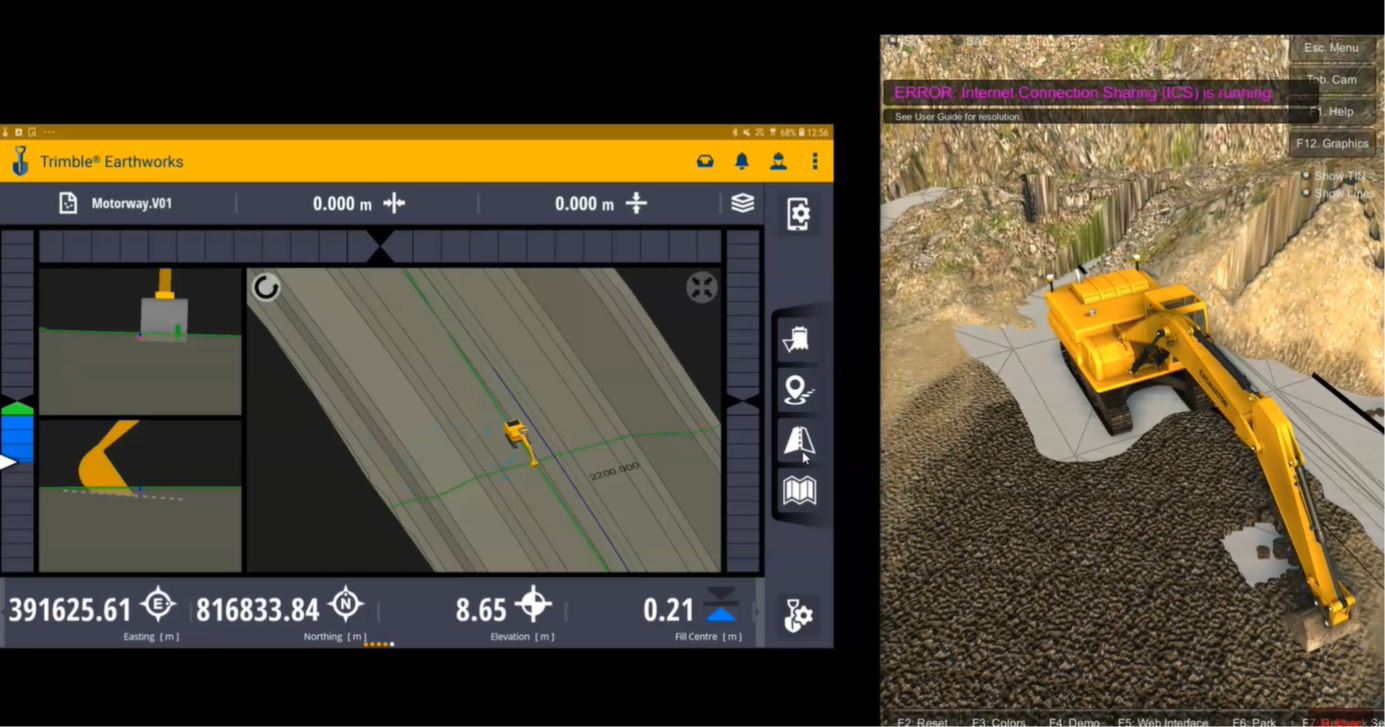
Simulator
Download to laptop or P.C

Video Walkthroughs
MP4
WHO IS THIS COURSE FOR?

Operators
Build confidence and learn the correct workflows from the start.

Experienced Engineers
Improve accuracy, efficiency and your understanding.

Companies
Upskill your team with combined, practical lessons.
READY TO IMPROVE YOUR SETTING OUT SKILLS?
Join now and get instant access to the full course.